This guide explains how to register your arrangements once and quickly license them for multiple ensembles using Tresona. Let's look at the steps:
Step 1: Log In and Access Arrangements
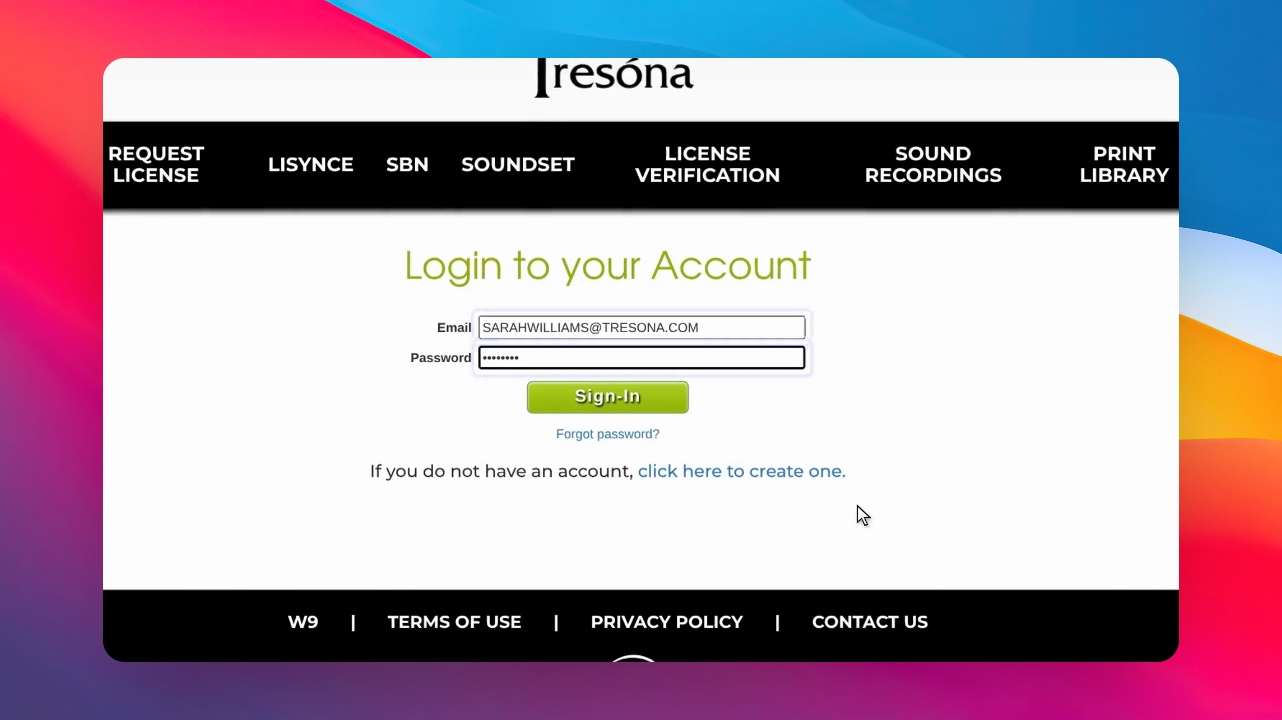
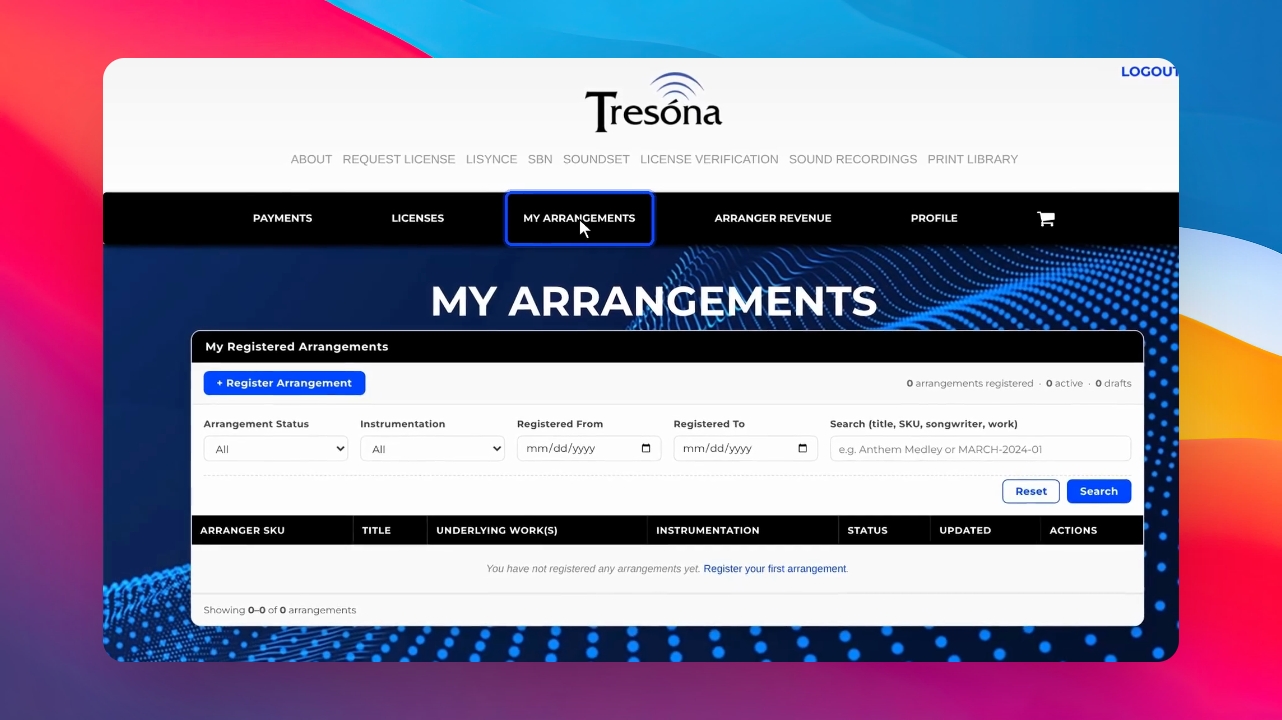
Log in to your Tresona account and go to the My Arrangements page.
Step 2: Register a New Arrangement
Select Register Arrangement to begin registering your arrangement for the first time.
Step 3: Reuse a Previous Arrangement
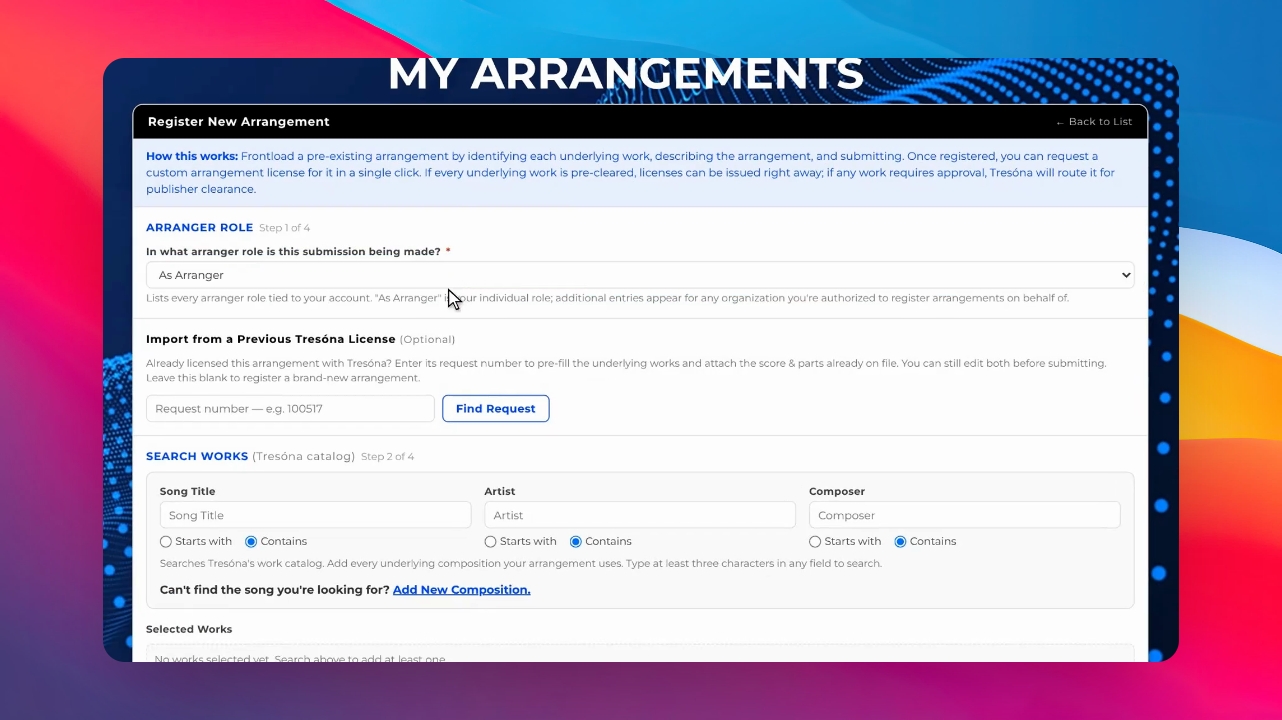
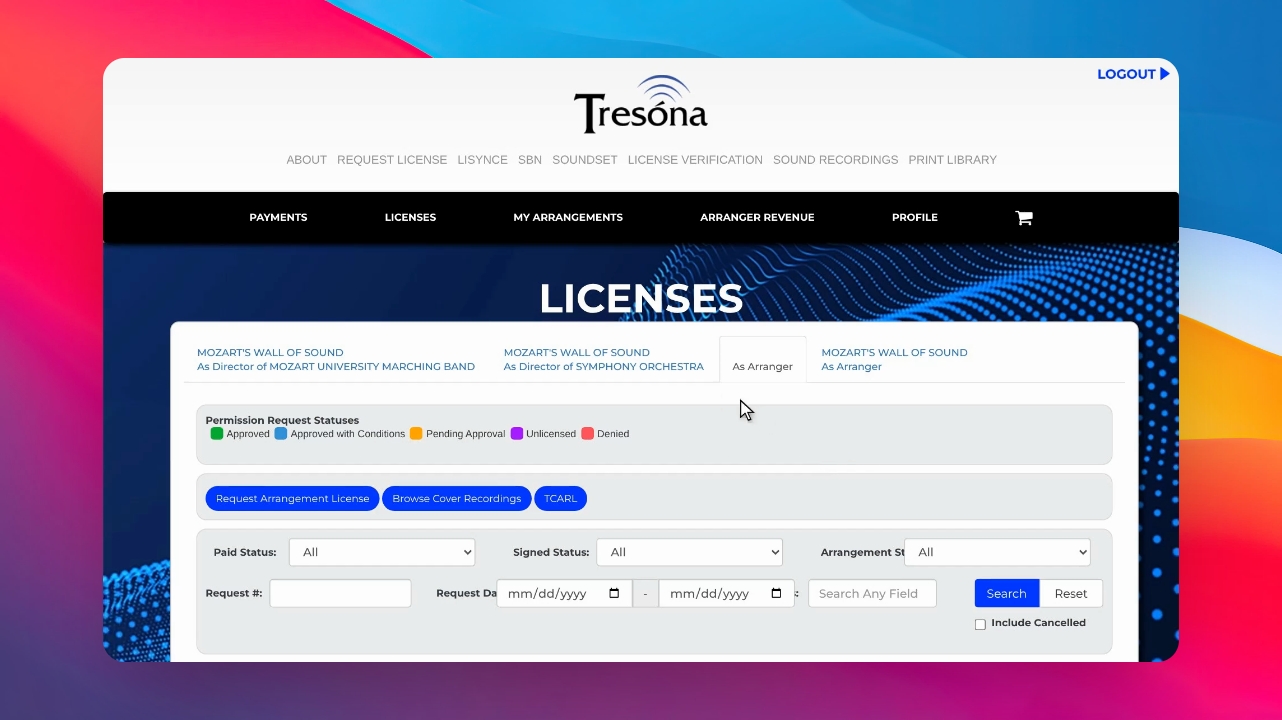
To license an arrangement you've already registered, look up any earlier request where you are listed as the arranger. Find these under Licenses in the as Arranger tab, load the arrangement, and your arrangement songs will be filled in automatically.
Step 4: Edit Songs or Enter Manually
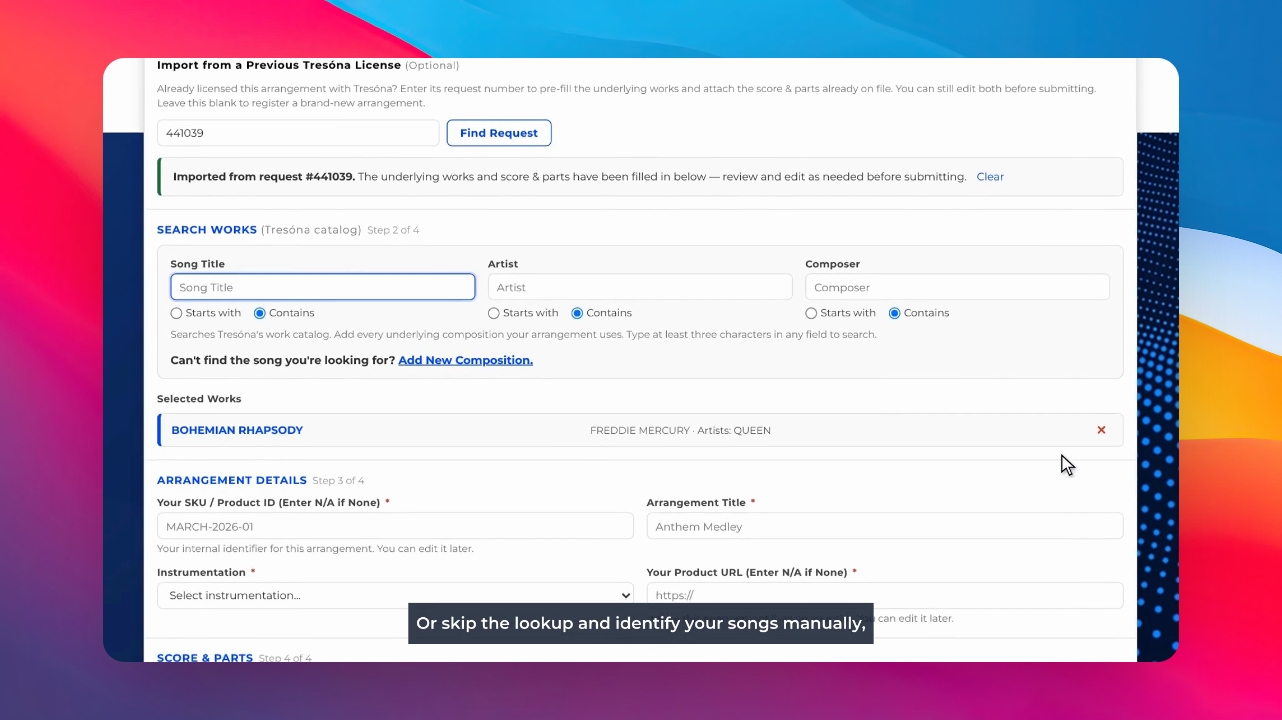
You can add or remove songs by hand, or skip the lookup and identify your songs manually if needed.
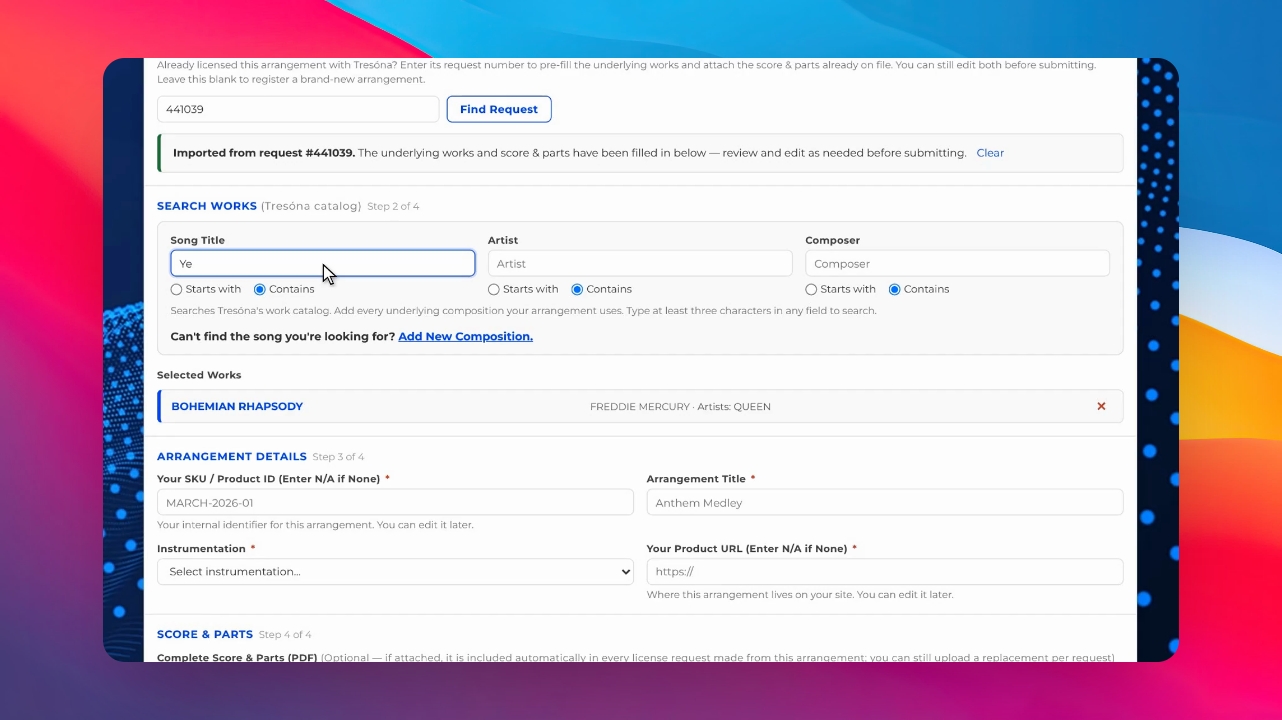
Step 5: Register New Arrangements Without Prior License
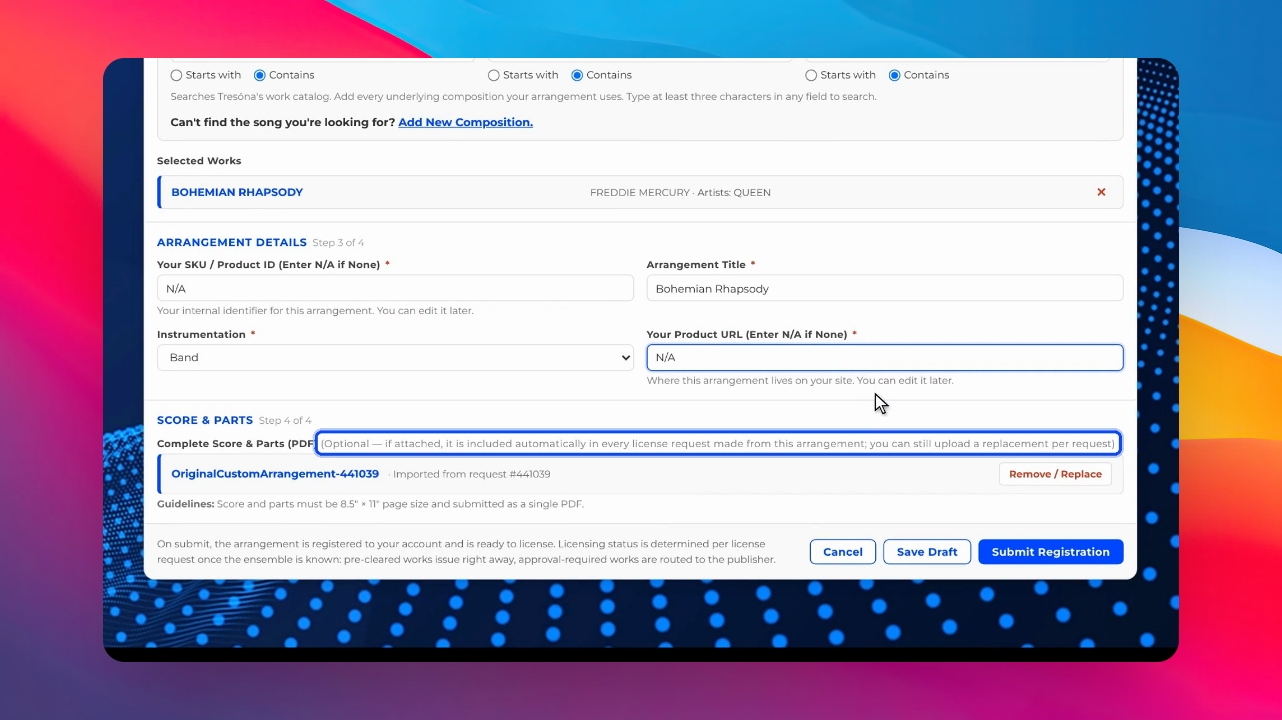
If this is a new arrangement or one not previously licensed, simply enter na for product, SKU, or website fields. Uploading your score and parts during registration is optional.
Step 6: Manage Uploaded Scores and Parts
When loading a previous arrangement, any previously uploaded score and parts are included. You can remove them or upload replacements during registration or as part of the license request process.
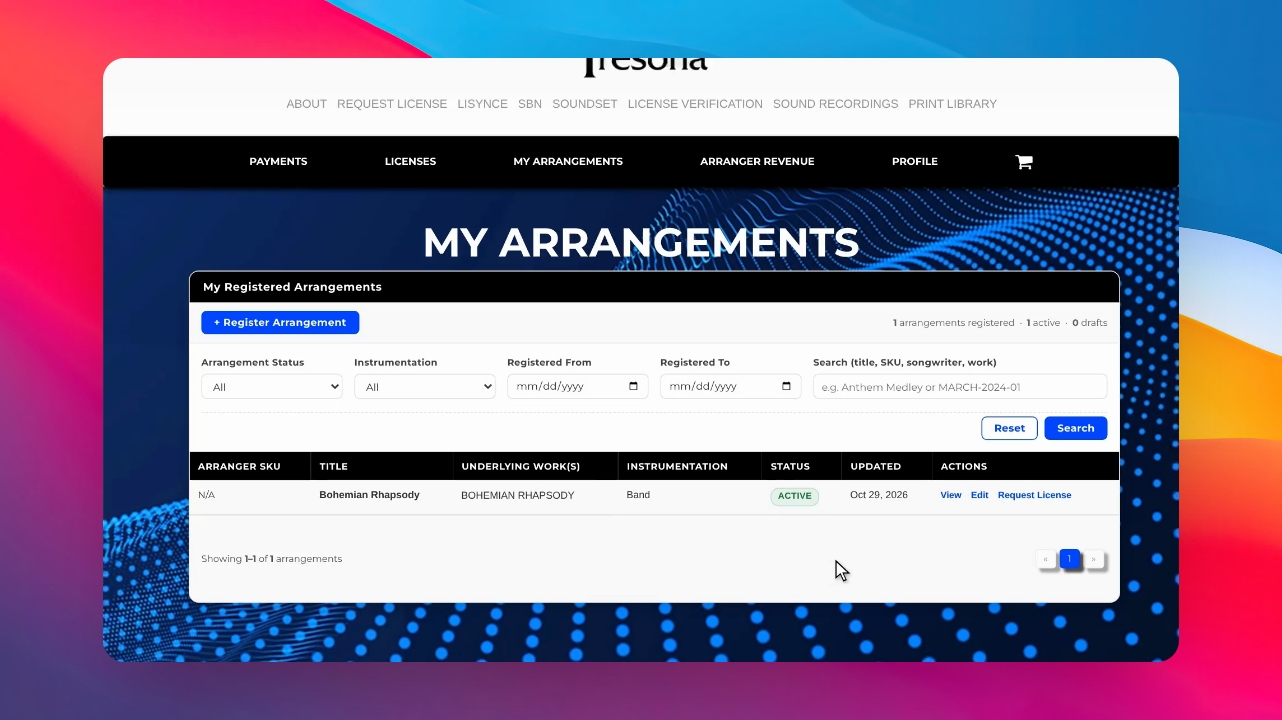
Step 7: Request a License for an Arrangement
Once your arrangement is registered, licensing it is quick. On the My Arrangements page, click Request License next to the arrangement, choose the ensemble, enter the rehearsal date, select who should be invoiced, and submit your request.
Step 8: Track License Requests
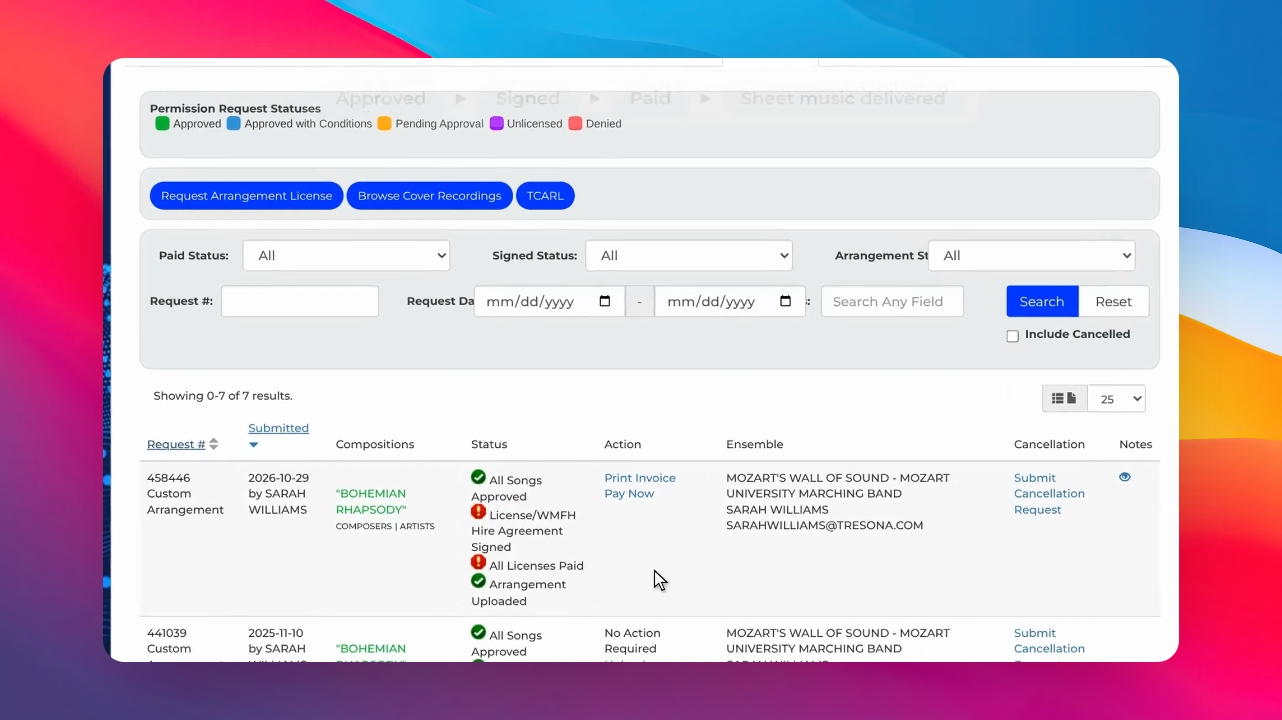
Your request appears on the Licenses page under the as Arranger tab. If you have multiple as Arranger tabs, it will appear in the one you selected during registration. You can move it to a different tab when signing the license agreement.
Step 9: Complete Licensing and Share Music
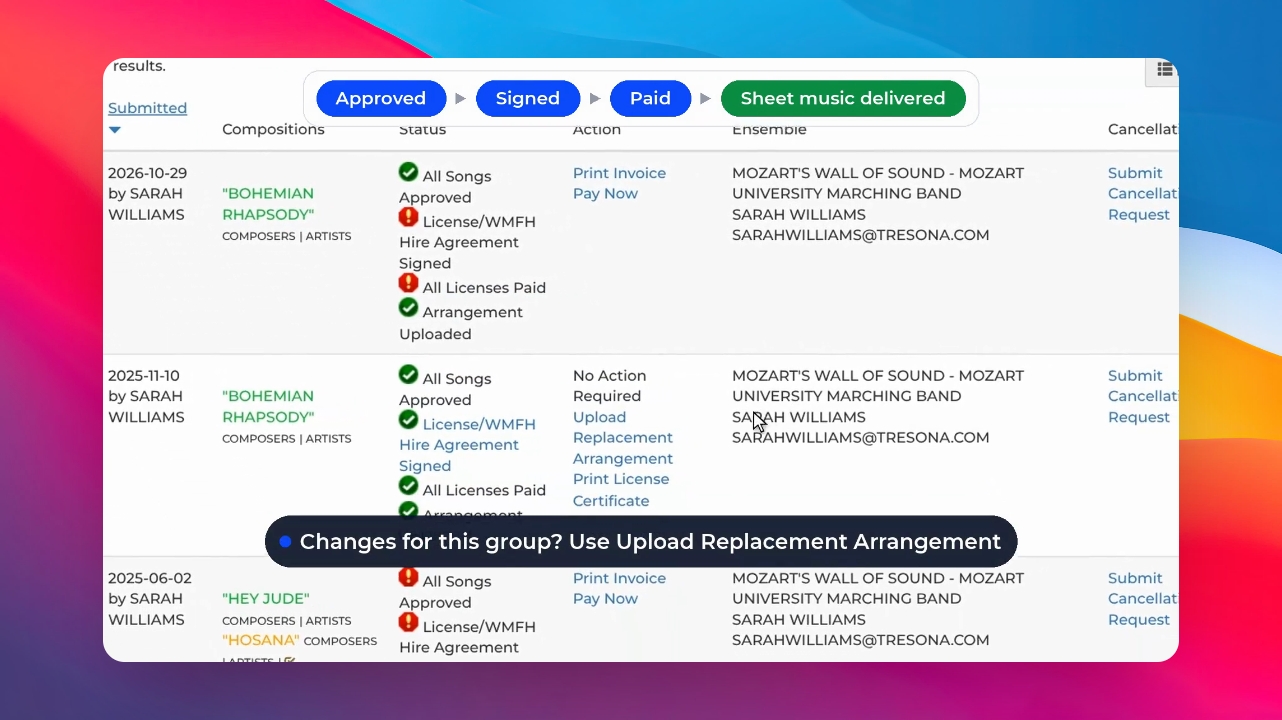
Once the license is approved, the agreement is signed, and the royalty fee is paid, your pre-uploaded sheet music is made available to the ensemble automatically. You do not need to upload it again.
Step 10: Upload Replacement Arrangements If Needed
If you have modified the arrangement for a specific group, use Upload Replacement Arrangement on that license request.
Register your arrangement once and license it as many times as needed for different ensembles.